
AI assistant for YouTube Shorts

ClipPilot — a channel without the hassle

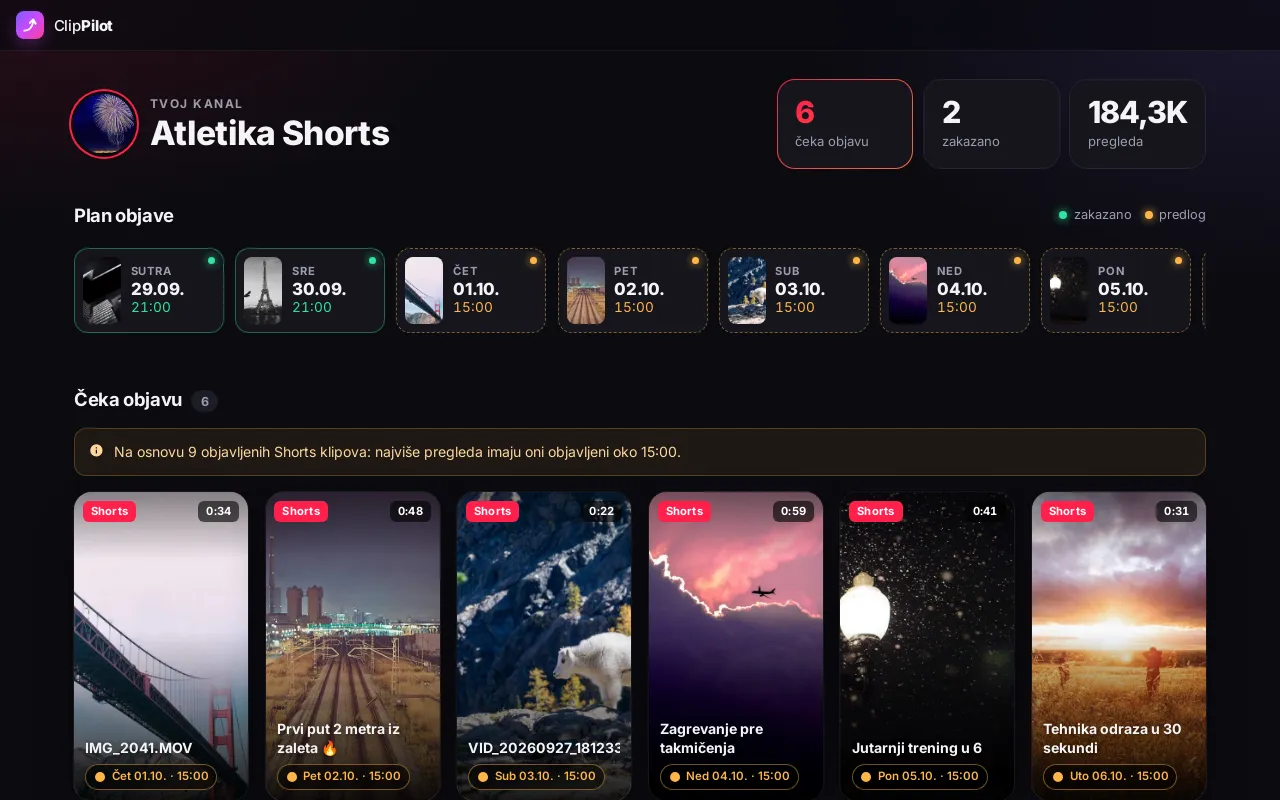
For every clip waiting to be published, the AI suggests a title, description, tags and hashtags, and the app picks a time from the channel’s history and schedules the upload. The user just reviews and confirms.

ClipPilot: clips waiting to be published and a day-by-day plan
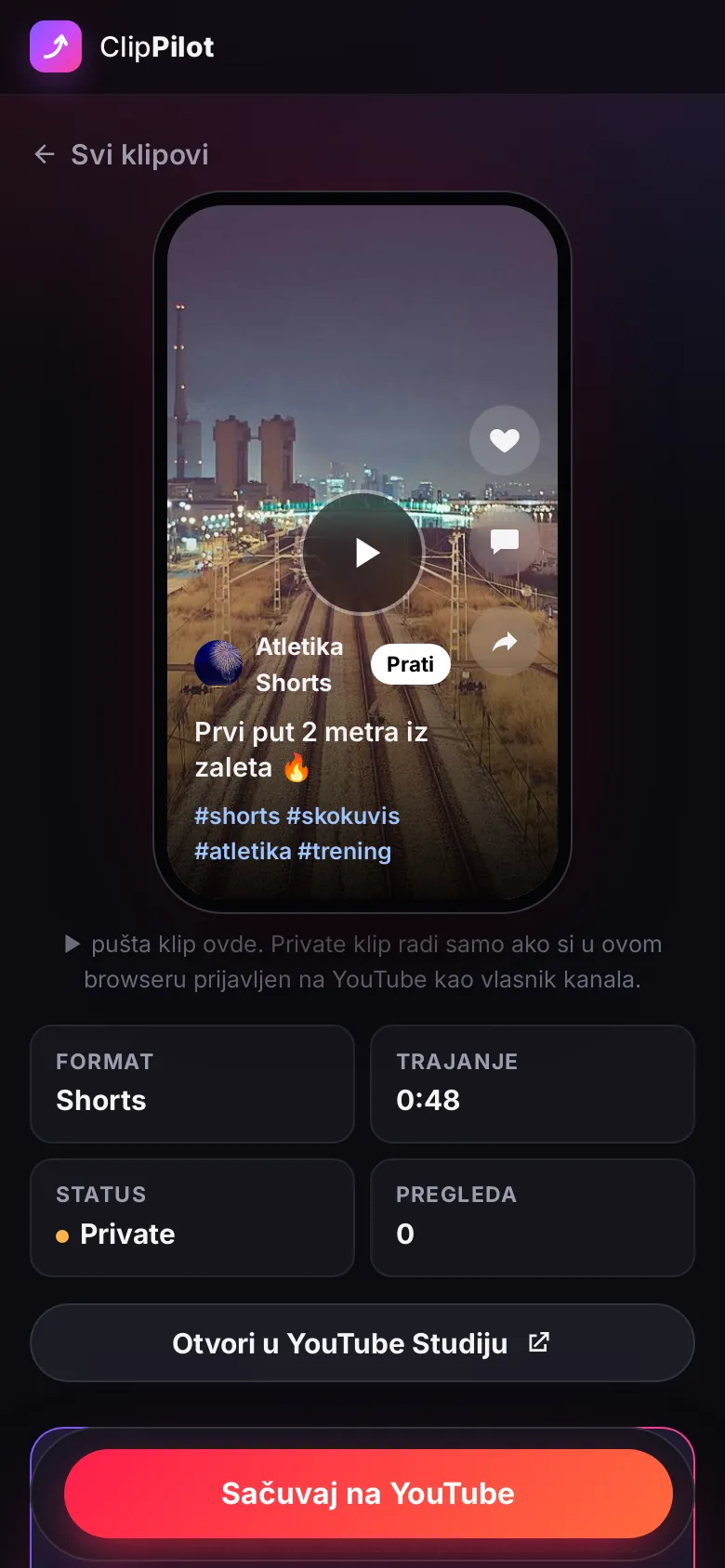
ClipPilot on a phone: editing a clip

How it works

Four steps, a couple of minutes per clip

  1. 1

    Upload as Private

    Clips are uploaded in YouTube Studio as Private, no title or description needed.

  2. 2

    Connect the channel

    Sign in with Google. Clips waiting to be published show up right away, each with a suggested time.

  3. 3

    Suggest text

    A sentence about the clip or the video itself — the AI fills in the title, description, tags and hashtags.

  4. 4

    Save

    The clip stays private and YouTube publishes it at the scheduled time.

Features

Everything about publishing in one place

  • Sign in with Google, works with brand channels too
  • AI text in English or Serbian (Google Gemini), from the thumbnail or the whole clip
  • Suggested time from the channel’s history and a day-by-day plan
  • Phone-style preview while typing the title, and a player — no YouTube Studio
  • Character counters and hashtags as chips
  • A public website with SEO, privacy policy and terms in two languages
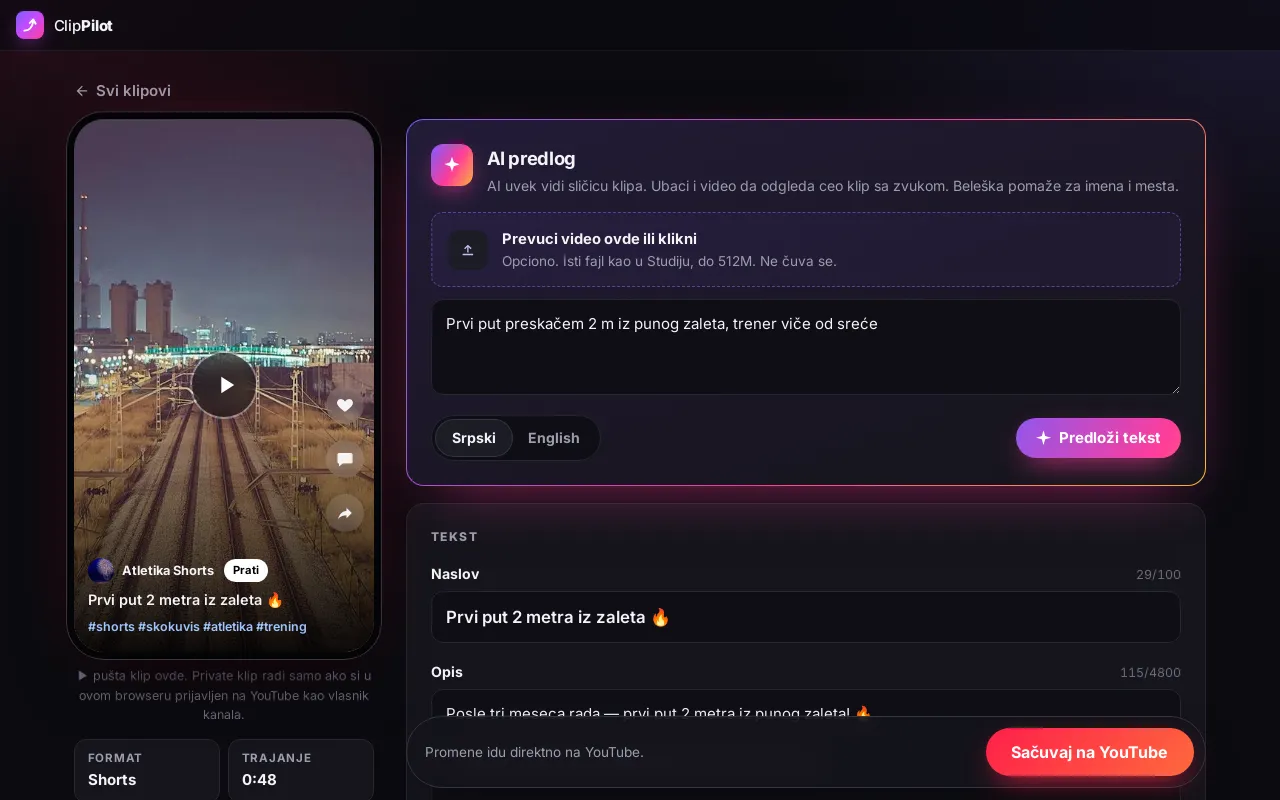
ClipPilot: editing a clip with an AI suggestion, text and publish time

Technology

No database, nothing extra

YouTube Data API

Reads videos and writes titles, descriptions, tags and publish time — keeping the video’s existing settings.

Google OAuth

The token lives only in the session and refreshes itself; access is revoked with one click in the Google account.

Gemini AI

Answers follow a JSON schema; video goes through the Gemini Files API and is deleted after the suggestion.

Time from data

The publish time is computed by code from earlier videos’ views, not by the AI.

  • Symfony 8
  • Twig
  • YouTube Data API v3
  • Google OAuth
  • Gemini AI
  • no database

Screens show made-up videos. The app interface is in Serbian.

FAQ

Questions about ClipPilot

Does the AI publish videos on its own?

No. The AI only fills in the form. Nothing goes to YouTube until the user clicks save, and the video is published at the time they confirmed.

How is the publish time chosen?

Separately for Shorts and longer videos: the app looks at the hour the channel’s public videos got the most views. Without enough history it suggests 18:00 and says so. At most one video a day.

Does the AI see the video?

It always sees the thumbnail. It sees the whole video only if the user uploads it — Gemini then watches it with sound, and the file is deleted right after the suggestion.

What is stored?

There is no database. Google access lives only in the user’s session, and videos and descriptions are read straight from YouTube.

Need a system like this?

Write to us — we answer personally.

sasam09@gmail.com

← All projects